



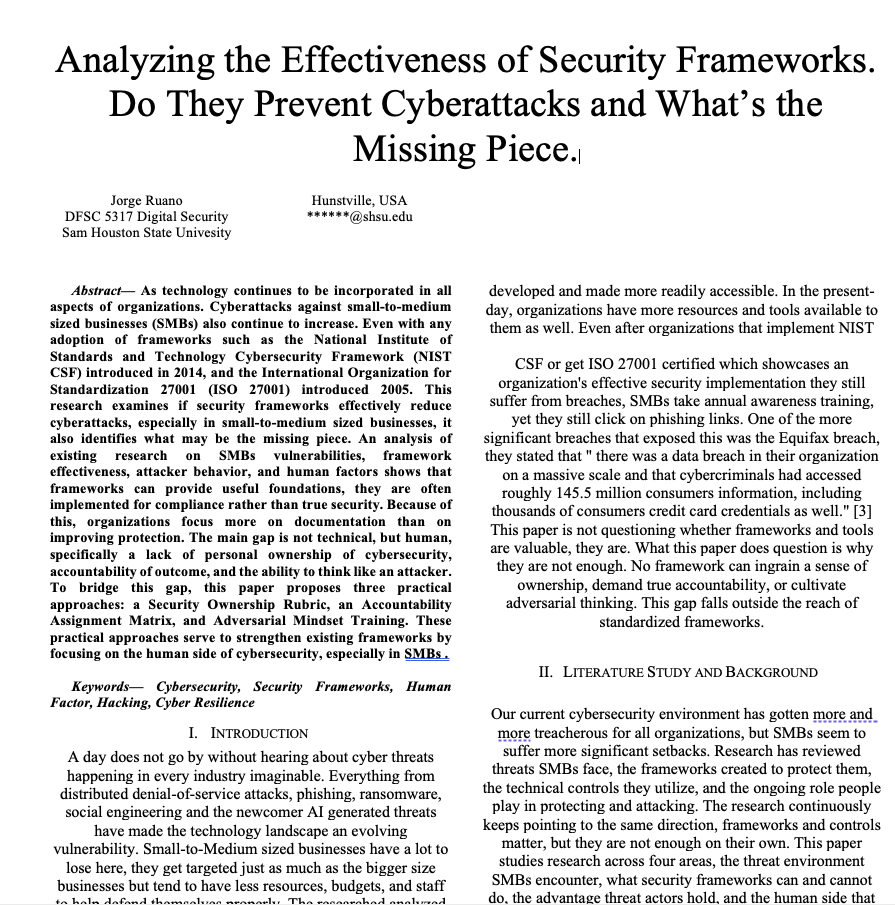
My career has been quite the journey I've worked for many organizations and spoken to countless experts, I've noticed the same pattern show up again and again. Organizations do everything a framework asks of them. They adopt NIST CSF or get ISO 27001 certified. They run their annual awareness training. And they still get breached.
This isn't a post questioning whether frameworks and tools are valuable. They are. The question I keep coming back to is why they aren't enough.
A day doesn't go by without hearing about a new breach somewhere. DDoS, phishing, ransomware, social engineering, and now AI-generated threats have made the technology landscape a bit harder to defend. Small-to-medium businesses (SMBs) get hit the hardest. They're targeted just as often as large enterprises, but with a fraction of the budget, staff, and resources to defend themselves. Studies show that roughly 60% of small businesses that suffer a cyberattack close their doors within six months. Among breaches where the victim's size is known, SMBs make up close to 80% of them.
What Frameworks Can and Cannot Do
Equifax is the case everyone points to, and for good reason. A patch existed for the vulnerability that led to their breach. Apache Struts had already released it. Equifax simply didn't apply it in time, and roughly 145.5 million people's information, including credit card data, was exposed. By most accounts, this breach was preventable. Not because the framework failed, but because one human step in the process didn't happen.
That same pattern shows up across the research. Most SMBs that adopt NIST CSF lean heavily on the Identify and Protect functions, with far less attention paid to Detect, Respond, and Recover. Those are the functions that actually determine whether a business survives a breach once it happens. Other research points to the same gap from a different angle: organizations focus on technical defenses and prevention but neglect resilience building work like risk transfer and response planning. A lot of SMB security effort leans reactive, or worse, aimed at looking "fail-safe" on paper rather than being resilient in practice.
Frameworks give organizations a baseline. What they don't give is the thing that decides whether that baseline holds up under pressure: whether the people responsible for it actually care.
The Advantage Attackers Hold
There's a line I've heard at nearly every security conference I've attended “attackers only have to be right once, defenders have to be right every time”. It's a cliché at this point, but the research backs it up. Most firewall breaches trace back to configuration errors, not zero-days. Intrusion detection systems drown their own signal in false positives. The tools work. The consistency around using them doesn't.
Attackers, meanwhile, are patient and methodical. Their process is well documented from, information gathering, scanning, gaining access, maintaining access, and clearing tracks. It's a repeatable playbook, and they run it well. The research is fairly direct about the best countermeasure available to defenders, learning to think like an attacker measurably improves how well security practitioners anticipate what's coming next. That's not a personality trait. It's a skill, and it can be trained.
The Human Side That Gets Acknowledged but Never Truly Addressed
Every category of attack that hits SMBs hardest, social engineering, stolen credentials, insider misuse, malware, traces back to a human decision somewhere in the chain. Human error, intentional or not, touches nearly every part of protecting a system. And yet the human side of cybersecurity is the piece that keeps getting acknowledged in passing and never actually addressed.
The issue isn't that frameworks and tools don't exist. It's that no framework can make someone take personal ownership of security, hold them genuinely accountable, or get them to think the way an attacker thinks. That has to come from somewhere else.
Three Ways to Close the Gap
None of these require a bigger budget. They require a shift in how organizations treat the people already doing the work. And how practitioners choose to care.
· Build a Security Ownership Rubric. Think of it like a grading rubric, not for whether a policy exists on paper, but for whether the person responsible for it actually owns it or is just checking a box. In an SMB where one person is wearing three hats and nobody has a dedicated security role, that individual sense of ownership matters more than any compliance document.
· Put an Accountability Assignment Matrix in place. Frameworks assign responsibility to organizations. They don't assign it to people. Controls get documented, but often nobody specific is on the hook for them. This matrix takes control areas from frameworks like NIST CSF and ISO 27001 and ties each one to a named person with a clear, measurable outcome. It's not about pointing fingers. It's about making sure nothing falls into the gap between policy and practice.
· Invest in Adversarial Mindset Training. An annual phishing video or a certification isn't this. This is hands-on training built around how attackers actually operate, the phases they move through, the social engineering they lean on, so defenders start anticipating instead of just reacting. Even a short, focused session on adversarial thinking has shown a measurable improvement in how well people can predict an attacker's next move.
Where This Leaves Us
The million-dollar question in this industry is why organizations that have done everything a framework asks of them keep getting breached anyway. After digging through the research on SMB vulnerabilities, framework effectiveness, attacker behavior, and human factors, I keep landing on the same answer, it's not a missing tool or a missing framework. It's the absence of personal ownership, real accountability, and adversarial thinking among the people actually defending the data.
Frameworks are necessary, and every organization should use one. But documentation and technical controls only get you so far. Building a culture where the people behind the framework actually care about the outcome is just as important, and it's the piece no framework can hand you.
I've spent over a decade in IT and security across public safety, law enforcement, and financial institutions, and this is the one thing I keep coming back to. Tools and frameworks will keep evolving. Whether the people behind them actually care is what decides how the story ends.
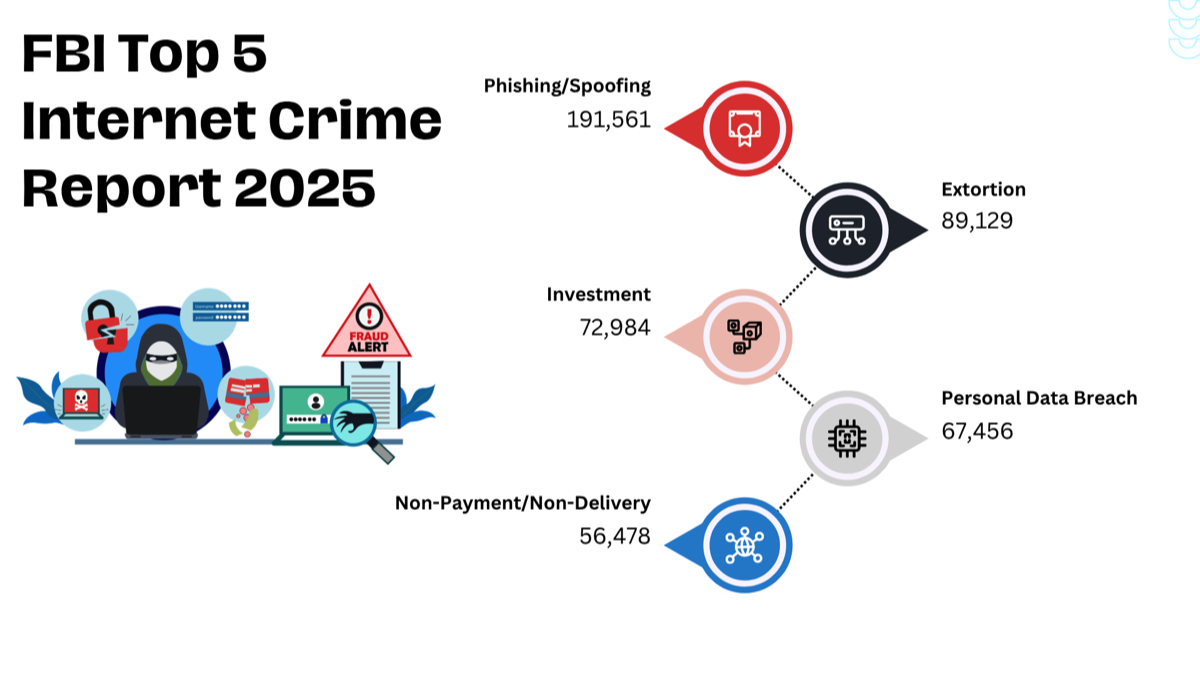
Non-Payment/Non-Delivery 56,478
Personal Data Breach 67,456
Investment 72,984
Extortion 89,129
Phishing 191,561
During my time as a security analyst, most of my responsibilities involved inspecting emails. Approximately 60 percent of the emails I dealt with were unsolicited; of this unsolicited batch, roughly 25 percent were identified as phishing attempts.
Here's a quick guide on how to examine emails:
Check the email address: Look at the "From" field to check the sender's email address.
Most legitimate emails are usually sent from a corporate email address, be wary if it's a generic email provider like Gmail or Yahoo.
Verify the domain: Scammers sometimes use domains that look like the real ones. Triple-check the domain name to ensure it matches the company's actual domain. For example, they sometimes use a 0 instead of an O to throw you off. (GOOGLE/G00GLE) Another current domain they are using is Microsoft, they us rn to make it look like an m. (microsoft/rnicrosoft)
Grammar and spelling can be a clue: Phishing emails often contain errors. An email from a legitimate organization should be well-written.
Hover over links: If the email contains links, hover over them without clicking. Doing this will show you the actual URL of where it's going. If it doesn't match the text of the link or the company's website, it's likely a scam.
Urgent requests are a significant indicator: Scammers often try to create a sense of urgency to trick you into acting without thinking. Be suspicious of any email stating that urgent action is required.
Avoid Attachment: If the email contains an attachment, don't open it immediately. Scammers can disguise their attacks within files such as PDFs, Word documents, Excel sheets, images, and other files. You must examine the email thoroughly before opening the attachment.
If you're still unsure, contact the company directly using contact details from their official website, not the details in the suspicious email.
Reference: https://www.ic3.gov/AnnualReport/Reports/2025_IC3Report.pdf

These Aren't The Droid (Apps) You're Looking For!
Android users need to be vigilant about potential security flaws, such as the risk of downloading harmful apps from the Play Store or other websites. Despite Google's efforts to remove malicious apps, some may escape detection. With Android being the primary operating system for a third of the US population and over 2.5 million apps available, the risk of inadvertently downloading a harmful app is real. This article provides guidance on identifying harmful Android apps before downloading and suggests an effective approach for app evaluation. Read Blog Post here…
Rising Epidemic: Elderly Fraud Soars in America, Targeting Vulnerable Seniors - Part 1
Seniors are prime targets for fraud and financial abuse. Find out how to protect your loved ones from scams, what warning signs to look out for, and the recent epidemic of fraudulent activities targeting elderly Americans. Read blog post here..
The Predator of Predators: Uncovering the Dark Side of Technology and Its Role in Child Abuse
I am honored to be acquainted with the Predator of Predators, who has single-handedly assisted in bringing over 500 predators to justice since 2008. In this post I share with you Dark Side of Technology and Its Role in Child Abuse. With the popularity of social media, online gaming, and streaming services, children are exposed to a wide range of potential risks and threats. Read blog post here…
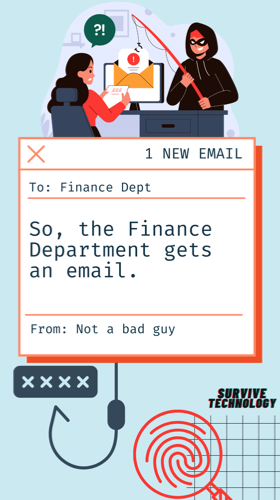
So, the finance department gets an email.
Phishing emails are a serious threat to individuals and businesses alike. These emails are designed to trick recipients into giving up sensitive information, such as passwords or financial data. To protect yourself from phishing attacks, it's important to be aware of the signs of a phishing email and to always verify the sender's identity before responding to any requests for information. Read blog post here…
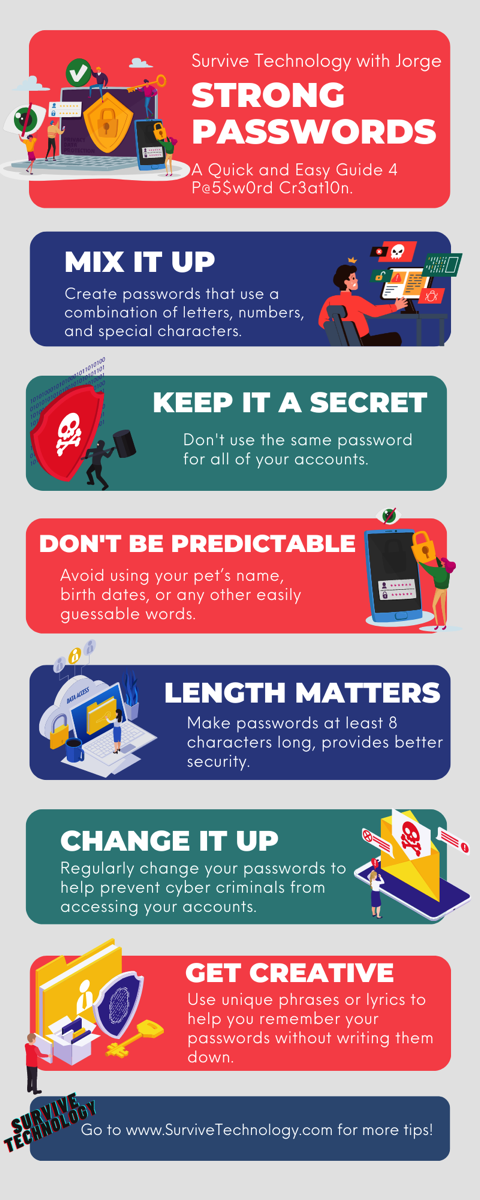
Stay safe and secure: Protect yourself from the biggest tech breaches – Part 1 Passwords
When it comes to security, some aspects are out of the customer's hands and in the hands of the company. We have reached the age where we can no longer set it and forget it. It is essential to check if your accounts have been exposed to a data breach because someone else may have access to your personal information and accounts. Breached account information could lead to identity theft and other problems. Verifying if your password has been compromised is essential to protect your accounts and data. One of my favorite websites to check for account breaches is Have I Been Pwned. Have I been pwned is a website Troy Hunt developed that enables users to determine whether their personal information has been hacked or "pwned" in a data breach. Users can use this website to search with their email addresses to see if their data has been made public due to a data breach. It collects information from all publicly released data breaches. My rule is to change the password if I see any of my accounts with a data breach.
Google and Apple offer password-management solutions that help users store, manage, and protect their passwords. Google's Password Manager, available to users of its Chrome browser, can generate strong passwords, store them securely, and autofill them when needed. Apple's iCloud Keychain stores credit card numbers and website logins and can automatically fill them in on websites and apps. Both solutions help make creating and storing strong, unique passwords for each account easier for users. I don't want to leave you paranoid, but even trusting these solutions can be troublesome.
Staying Up-To-Date on the Latest Security Threats and Vulnerabilities
Stay up-to-date with CISA and subscribe to the many options.

Stay up-to-date with CSRC and NIST and subscribe to the many options.

Sign-up for the CSO Newsletter. You get to select the categories of security that matter to you most.